What Y2K Cam Can't Do
The short version: Y2K Cam is a signal simulator, not a time machine. It runs your photo or clip through a model of what analog video did to a picture — crushed color, smeared detail, head-switching tear, tracking noise, a burned-in date — at camcorder resolution, in a true 4:3 frame. What it can't do is anything that happened in front of the lens or at the microphone. It doesn't fire a flash, doesn't dirty the audio, doesn't change how your footage moves, and can't undo the processing your iPhone already did. Those parts are still your job.
The fastest way to be disappointed by a retro camera app is to expect it to do the photographer's half. So here's where ours stops.
First, what it actually is
A lot of retro filters are a stack of overlays: a scanline texture, a noise clip, a date font, set to multiply. Y2K Cam does it the slower way. Each frame is converted into the way a composite video signal carries a picture — brightness and color on very unequal budgets — degraded the way tape and cheap electronics degraded it, then decoded back. We walked through that signal path in what a VHS tape actually does to footage.
It captures the way the old machines did, too. The camera records a true 4:3 frame at 640×480, and the effect runs at roughly 480 lines whether you're in the viewfinder, reviewing, or saving. What you see in the finder is the file.
1. It can't add light that wasn't there
The app never fires your phone's flash. The Y2K digicam look is a color grade — bright, a little cool and magenta, blacks lifted — tuned to read like a point-and-shoot with the flash on. A grade can't create the thing that actually defined those photos: one small light next to the lens, a face blown out at two feet and a black room behind it at eight.
If the room is evenly lit, you get an evenly lit photo with a 2003 color cast. Want the falloff? Shoot somewhere dark and bring the light yourself. There's more on why in what a 2003 digicam actually did to a photo.
2. The audio stays clean
Video goes through the full signal model. Sound doesn't. The camera records mono, but the audio is passed through and re-encoded, not degraded — no tape hiss, no wow and flutter, no motor whine. Part of why a 1998 home video sounds like 1998 is the tape transport, and ours doesn't have one.
If the sound matters, people talking over the shot does more than hiss ever would. That's number five on the camcorder shot list.
3. It doesn't move like a camcorder
An analog camcorder didn't record tidy whole frames. It recorded fields — half-pictures, alternating, around sixty a second — which is why old home video has that slick, almost too-smooth motion that neither film nor phones have. Y2K Cam keeps your clip's frame rate and duration exactly as they were. The picture will look analog. The motion will look like your phone.
The shake, the lazy zoom, holding a shot far too long — none of that lives in software. See the 90s camcorder effect guide for the habits that sell it.
4. It won't give you a sharp file
The look lives at camcorder resolution, and at the heavy end of the strength slider it drops lower still. Saved photos are upscaled to a size feeds won't punish — a smooth resize, not new detail. If you want a crisp high-resolution image with a vague VHS vibe, this is the wrong tool, on purpose: soft horizontal detail is most of what makes a picture read as tape.
5. It won't pretend 4:3 is 9:16
Captures are 4:3 and stay 4:3, because nobody's camcorder shot vertical. For a vertical feed, the app frames the clip — in living TV static or on a flat print background — instead of cropping or stretching it. If you need edge-to-edge vertical, you're choosing between the format and the screen. There's more on that trade in the VHS effect for TikTok and Reels guide.
6. It can't undo your iPhone
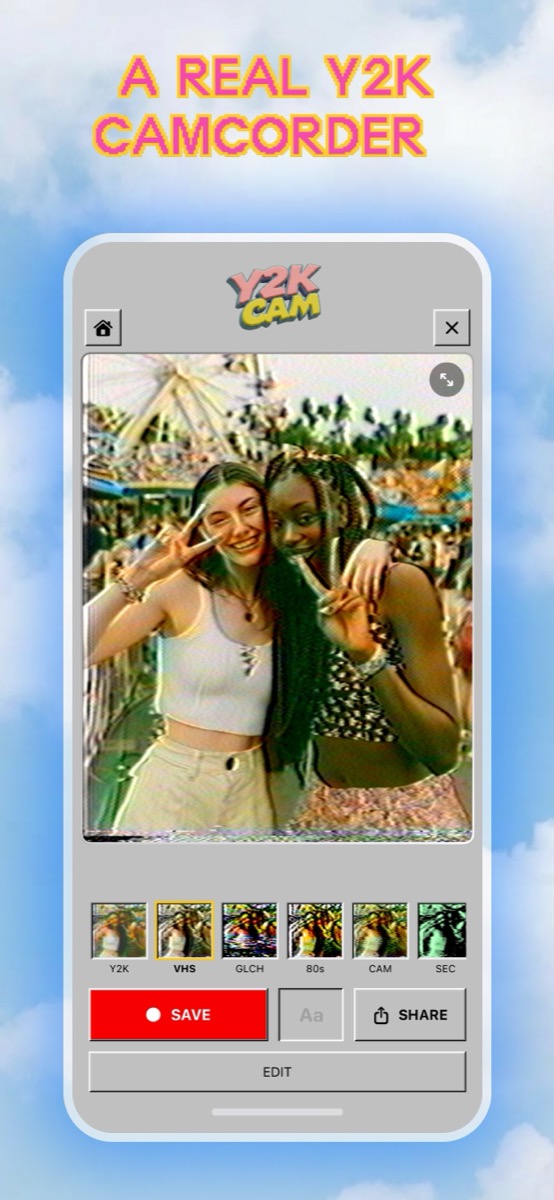
A modern phone photo has been through a lot before any app sees it: several exposures merged, shadows lifted, noise scrubbed, edges sharpened. Y2K Cam runs its model on whatever it's handed and can't reverse any of that. Import a bright HDR daylight shot and you get a bright HDR daylight shot that has been through a VCR — right in texture, far too well exposed to fool anyone.
Night, indoors, one small light source: the old conditions still give the best results, for the reasons in the 90s rules of the snapshot.
7. It's built for clips, not the whole party
Long imports get trimmed and long recordings stop on their own. It's a tape you shoot scenes onto, not a way to run a feature-length file through a VCR. For that, desktop video tools are the honest recommendation.
What it does do, for real
- Color crushed far harder than brightness, so hues bleed past edges while shapes stay readable.
- Smear and ringing on horizontal detail — the soft, haloed look of a composite signal.
- Head-switching tear, tracking noise, snow and edge wobble, which pile on as you push the strength up. The slider gets dirtier before it gets blurrier, so faces stay readable until the very top.
- A genuinely clean bottom end on that slider, not a floor of leftover noise.
- A burned-in date stamp and captions that degrade into the picture instead of floating on top.
- All of it on photos and videos from your library, not just the live camera — see how to make videos look like VHS.
Working with the limits
- Bring your own light. A dark room and one small source close to the lens.
- Supply the sound. Talk over it. Narrate the boring parts.
- Supply the motion. Handheld, badly zoomed, held too long.
- Start from a flat source. Indoor and night footage beats a polished daylight HDR shot.
- Push strength for tape, not blur. The top of the slider is where the tear and tracking live.
Why tell you any of this
Because an app that claims to be 1999 in one tap is lying about how 1999 worked. The signal part is math, and that's the part we've tried hard to make faithful. The light, the sound and the movement were always the person holding the camera. They still are.
iPhone · iOS 17+ · live retro looks with burned-in date stamp