How to Add a 90s Date Stamp to Photos & Videos on iPhone
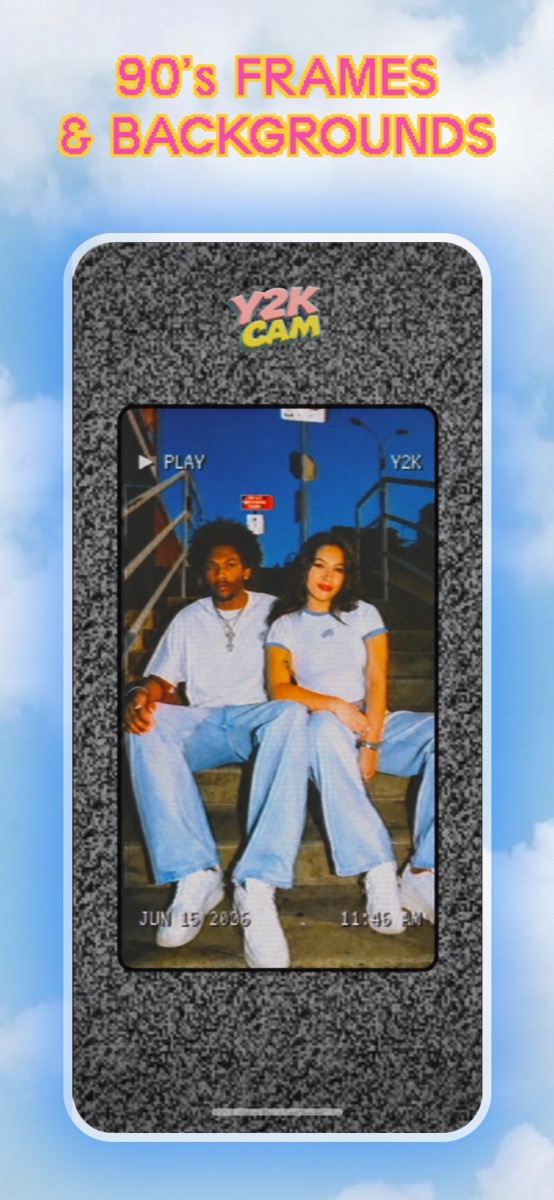
The short answer: download Y2K Cam (free), turn on the date stamp, and shoot — or import a photo or video from your library. The app burns a real camcorder-style date and time into the corner of the image, in the same degraded analog text as the old tapes. It works on both photos and videos.
Why the 90s date stamp looks different from a text overlay
On a real camcorder or 90s point-and-shoot, the date wasn't a caption — the camera's titler wrote it directly into the video signal. That's why on old tapes the timestamp is slightly fringed, glows a little, and decays with the rest of the picture. When you paste clean digital text over a filtered photo, that physics is missing and the eye catches it instantly.
Y2K Cam renders the stamp the same way the hardware did: the date and time pass through the same NTSC signal simulation as your footage, so the text bleeds, ghosts, and degrades exactly like the image around it.
How to add the date stamp with Y2K Cam
- Get the app — Y2K Cam, free on the App Store.
- Toggle the stamp — tap the Aa chip on the camera, or the date stamp checkbox in the editor. You get the ▶ PLAY display, the date at bottom-left and the time at bottom-right — the full camcorder OSD.
- Shoot, or import — the stamp works live through the viewfinder and on any photo or video you bring in from your library.
- Pick your look — VHS for tape, Y2K for digicam flash, CAM for home video. The stamp degrades to match whichever you choose.
- Save or share — the stamp is burned into the export, so it survives every platform's compression.
Can I use a custom date, like my birthday in 1999?
The date stamp itself uses the real date and time — that's what makes it feel like a working camcorder. If you want a specific date on the image, use a custom caption instead: Y2K Cam Pro lets you type any text, scale it, and drag it anywhere on the frame — including the corner, camcorder-style — and it degrades into the footage the same way the stamp does.
Does the date stamp work on videos?
Yes. The stamp burns into video exports frame by frame, with your clip's audio preserved. It's the detail that makes a fake home video read as a real one on TikTok — clean text floating over "old" footage is the number one giveaway of an overlay filter.
iPhone · iOS 17+ · photos and videos