GUIDE — CAMCORDER.DOC_□×
90s Camcorder Effect: Make Videos Look Like Home Video
The short answer: the 90s camcorder effect is more than VHS grain — it's the whole home-video package: slightly green color, wobbling edges, soft 480-line detail, mono audio and a date stamp in the corner. Y2K Cam's CAM look recreates all of it on iPhone, live while you film or on clips you import. Free on the App Store.
What makes home video feel like home video?
Think of any real tape from a birthday in 1996. The signature isn't just noise:
- Green-leaning color — consumer camcorders under indoor light drifted green, and every family archive has that tint.
- Edge wobble — vertical edges swim slightly as the tape plays. It's subtle, but your brain knows it.
- 4:3 frame — home video was square-ish. Widescreen "VHS" edits feel off because the geometry is wrong.
- Soft, structural low resolution — the format simply had no more detail to give, so nothing looks sharpened.
- The corner timestamp — dad never turned it off.
- Mono, boxy audio — one small microphone, pointed the wrong way.
How to get the camcorder effect with Y2K Cam
- Get the app — Y2K Cam, free on the App Store.
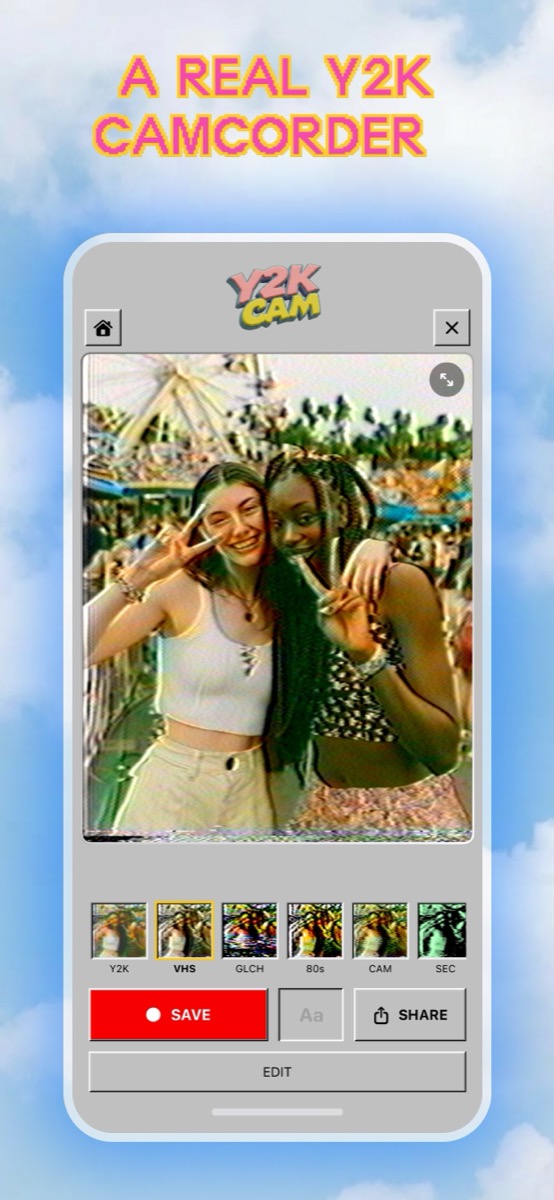
- Pick the CAM look — it's tuned specifically for home video: green home-video grade with edge wave. (VHS is warmer "found tape"; BCST is sharp broadcast TV.)
- Film in 4:3 through the viewfinder — Y2K Cam captures a true 4:3 frame like a real camcorder, and the finder shows the processed look live, so you shoot the way people shot in 1996: handheld, zooming into faces, narrating.
- Turn on the date stamp — the burned-in date and time in the corner is the single strongest home-video signal.
- Or convert old clips — import footage from your library and it comes out as home video, audio preserved.
- Save or share — exports are upscaled for posting while keeping the lo-fi look intact.
Camcorder effect tips that sell the illusion
- Move like it's 1996 — no gimbal energy. Small drifts, snap zooms, resting the "camera" on your shoulder.
- Let people talk to the camera — home video was social. "Say hi to the camera!" is the whole genre.
- Keep the stamp on — and leave the ▶ PLAY display on for the paused-tape screenshot vibe on stills.
- Don't over-crank the intensity — around 40% reads as a well-kept tape; save the heavy end for horror-style found footage.
Get the Camcorder Effect Free
iPhone · iOS 17+ · true 4:3 capture